How to Use PXF Files in Professional Embroidery Digitizing
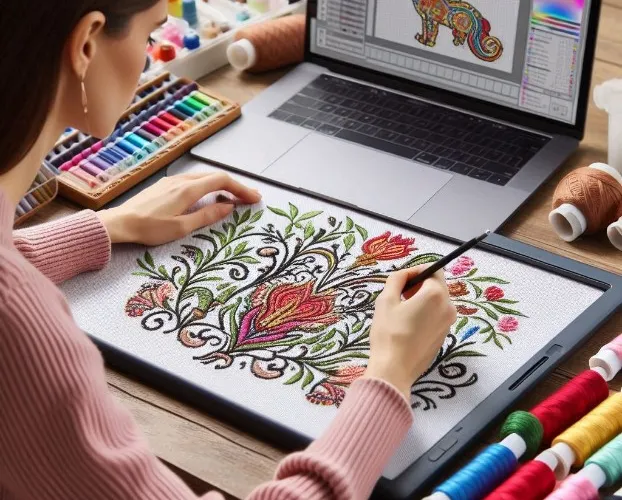
You open your digitizing software and see the option to save as PXF. Maybe you have received a PXF file from a client or another digitizer and wondered what makes it different from the DST files you usually send to machines. If you work with Pfaff machines or Pulse software, understanding PXF file embroidery formats changes how you approach design work. These files do more than just store stitch data. They preserve your creative decisions, your stitch angles, your underlay settings, and your color choices in an editable format that saves hours of work when clients request changes.
Professional digitizers rely on PXF files because they offer flexibility that simple stitch files cannot match. Let us explore what makes this format special and how you can use it to elevate your embroidery work.
What Exactly Is a PXF File?
A PXF file is a proprietary embroidery format developed by Pulse Microsystems for use with their digitizing software, including Tajima DG/ML by Pulse . Unlike universal stitch files like DST that only contain basic needle movement commands, PXF files store comprehensive design information .
Think of a PXF file as the master recording of your design. It contains object outlines, stitch patterns, color assignments, density settings, underlay structures, and even special effects like gradient fills or 3D puff stitching . When you save your work in PXF format, you preserve every decision you made during digitizing.
The format uses both binary and UTF-8 encoded text data, and it supports compression that reduces file size significantly . Some PXF files start with the identifier "PMLPXF01" and contain metadata about the software that created them . This rich data structure makes PXF files invaluable for professional workflows.
Why Professional Digitizers Prefer PXF Files
Complete Editability
The biggest advantage of PXF files is that you can reopen them and make changes without starting over . Need to adjust stitch density because the client switched from denim to polo fabric? Open the PXF file, tweak the settings, and re-export. Want to change thread colors for a new brand variation? The PXF file stores color information separately, so you simply update the palette .
This editability saves massive amounts of time compared to working with DST files. A DST file is like a printed photograph. You cannot change the expression on someone's face after the photo prints. But a PXF file is like the original digital negative. You can adjust exposure, crop differently, or change colors whenever you need .
Preservation of Design Layers
PXF files support multi-layer designs with complex structures . You can create three-dimensional embroidery by layering different stitch types and textures. The format retains these layers, so you can toggle them on and off, adjust their order, or modify individual elements independently .
For designs with small text, intricate patterns, or tight curves, this layering capability ensures precision . You see exactly how each element interacts with others before the machine ever runs a single stitch.
Seamless Integration with Pulse Software
PXF files integrate natively with Pulse Microsystems software like Tajima DG/ML . This compatibility means you can move seamlessly from design creation to editing to production without format conversion issues. The software reads all the rich metadata in the PXF file, giving you access to every parameter you set during digitizing .
Future-Proof Design Archives
When you archive client designs in PXF format, you preserve them for future modifications . Years later, when that client returns wanting the same logo on different garments or with updated colors, you pull up the PXF file, make adjustments, and deliver new production files in minutes. You do not re-digitize from scratch .
How PXF Compares to Other Embroidery Formats
Understanding the differences between PXF and other common formats helps you choose the right file for each stage of your workflow.
PXF vs. DST
DST files are the universal language of embroidery machines . Almost every commercial machine reads DST. But DST files store only basic stitch coordinates. They contain no color information, no object data, and no editing capabilities .
Use DST for final production when the design is complete and ready to run. Use PXF during design development and whenever you might need to make changes later .
PXF vs. PES
PES files work with Brother and Baby Lock machines. They include stitch data and some color information, making them more advanced than DST but less flexible than PXF . PES files support basic edits but lack the comprehensive layering and effects capabilities of PXF .
PXF vs. EMB
EMB files are Wilcom's proprietary format, similar to PXF in that they store complete design information . Both formats serve the same purpose: preserving editable master designs. The difference lies in software compatibility. If you work in the Pulse ecosystem, PXF is your native format. If you use Wilcom, EMB makes more sense .
Creating and Editing PXF Files
Step 1: Start with Clean Artwork
Your PXF file quality depends on your source artwork. Use high-resolution images with sharp outlines and good color separation . Vector formats like AI, EPS, or SVG work best because they scale infinitely and provide clean edges for tracing .
Clean up your artwork before importing. Remove backgrounds, simplify color areas, and adjust contrast so shapes are easy to identify . This preparation saves time during digitizing and produces cleaner stitches.
Step 2: Digitize in Compatible Software
You need software that supports PXF creation, such as Tajima DG/ML, Pulse Ambassador, or other Pulse-powered programs . Import your artwork and begin digitizing manually.
Trace each element of your design using appropriate stitch types:
-
Use satin stitches for borders, text, and thin elements
-
Use tatami or fill stitches for large color areas
-
Use running stitches for fine details and underlay
Set stitch directions to follow the natural flow of your design. This affects how light reflects off the finished embroidery and prevents a patchy appearance.
Step 3: Apply Professional Settings
Add underlay stitches to stabilize fabric and prevent shifting . Set pull compensation to account for fabric distortion during stitching. Adjust density based on your final fabric type .
Define your stitch sequence to minimize trims and machine head jumps. Group same colors together and plan the order for efficient production .
Step 4: Save as PXF
When your design looks right, save it in PXF format. This becomes your editable master file. Always keep a backup copy in case you need adjustments later .
Step 5: Export Production Formats
From your PXF master, export machine-specific formats like DST, PES, EXP, or JEF depending on your client's equipment . The PXF remains untouched, ready for future edits.
Converting PXF to Other Formats
Sometimes you need to share designs with clients or production houses that do not use Pulse software. Converting PXF to other formats is straightforward with the right tools.
Using Professional Software
Pulse software includes export functions that convert PXF to virtually any machine format while preserving as much design integrity as possible . Wilcom TrueSizer and Embed Studio also support PXF conversion .
What Gets Lost in Conversion
When you convert PXF to simpler formats, you lose some design information . DST files, for example, do not store color data or layer information. Special effects like gradients may simplify . This is why you always keep your original PXF file. The converted formats are for production only, not for archiving or further editing.
Caution with Online Converters
Free online converters that claim to handle PXF files often produce poor results . They may strip essential data, change density settings, or generate files that stitch badly. For professional work, stick to reputable software or professional conversion services .
Professional Applications of PXF Files
Template Creation for Customization
PXF files excel as templates for customizable designs. You can create a PXF with interchangeable text elements, allowing clients to personalize embroidery online . The format preserves text properties and color assignments while enabling easy modifications .
For businesses offering personalized products, this capability streamlines production. Create one PXF template, and generate countless variations without re-digitizing.
Team Collaboration
When multiple digitizers work on projects, PXF files ensure consistency . The detailed metadata means everyone understands the design structure. Team members can pick up where others left off without guessing about stitch settings or design intent .
Complex Design Development
For intricate logos with many colors, layers, or special effects, PXF files provide the workspace you need . You can experiment with different stitch patterns, adjust densities for various fabric types, and refine details until everything looks perfect. The format supports your creative process rather than limiting it .
Common Mistakes to Avoid
Using PXF as a Production Format
PXF files are not meant for direct machine reading . Most embroidery machines cannot interpret them. Always export to DST, PES, or another machine format for actual production.
Losing Your PXF Masters
Some digitizers only save the final DST files and discard their PXF originals. This creates problems when clients request changes months or years later. Always archive the PXF file alongside any production formats .
Poor Artwork Preparation
Starting with low-resolution or messy images forces guesswork during digitizing . Clean artwork leads to clean PXF files and clean stitches. Take time to prepare properly.
Ignoring Software Updates
PXF format compatibility improves with software updates. Using outdated versions may cause file corruption or feature loss. Keep your digitizing software current .
When to Outsource PXF Creation
Professional digitizing services specialize in creating PXF files . You send your artwork, specify your requirements, and receive production-ready files. This approach makes sense when:
-
You need complex designs beyond your current skill level
-
You have tight deadlines and cannot afford trial and error
-
You want guaranteed quality for client work
-
You prefer to focus on sewing rather than software
Look for services that provide PXF files along with machine formats, offer unlimited edits, and deliver fast turnaround .
Conclusion
PXF files represent the professional standard for editable embroidery design within the Pulse ecosystem. They preserve every detail of your digitizing work, from basic stitch types to complex layer structures and special effects. By using PXF as your master format, you gain flexibility, save time on revisions, and create designs that adapt to changing client needs.
The workflow is simple. Create in PXF. Archive in PXF. Export to production formats as needed. Keep your PXF masters safe, and you never have to start from scratch again.
Whether you digitize your own designs or work with professional services, understanding PXF files elevates your embroidery business. You move from simply stitching designs to managing design assets that grow in value over time. Every logo, every monogram, every complex creation becomes a resource you can modify, improve, and reuse for years to come.
Categorie
Leggi tutto
Executive Summary Green Fluorescent Protein Market Value, Size, Share and Projections Data Bridge Market Research analyses that the global green fluorescent protein market was valued at USD 328.19 million in 2022 and is expected to reach USD 589.37 million by 2030, and is expected to grow at a CAGR of 7.83% during the forecast period of 2023 to 2030. Being a comprehensive in nature, Green...

"Executive Summary Hydrocephalus Market Size and Share Analysis Report CAGR Value The global hydrocephalus market size was valued at USD 1.69 billion in 2024 and is expected to reach USD 2.79 billion by 2032, at a CAGR of 6.50% during the forecast period Accomplishment of maximum return on investment (ROI) is one of the most wannabe goals for any...
Key Drivers Impacting Executive Summary Metal Forming Market Size and Share The market Global Metal Forming Market was valued at USD 247.65 billion in 2023, is projected to grow at a CAGR of 7.50% and reach USD 441.68 billion by 2031. Accomplishment of maximum return on investment (ROI) is one of the most wannabe goals for any industry which can be achieved with the finest Metal...
The Customer Data Platform Market is witnessing rapid expansion as organizations seek unified, real-time customer insights to drive personalized marketing, seamless omnichannel experiences, and improved decision-making. The market’s growth is fueled by data-driven strategies, AI integration, and the rise of digital transformation across industries. Get a full overview of market dynamics,...
Executive Summary Immuno In-Vitro Diagnostics (IVD) Market: Share, Size & Strategic Insights The global Immuno In-Vitro Diagnostics (IVD) market size was valued at USD 19.89 billion in 2024 and is expected to reach USD 28.89 billion by 2032, at a CAGR of 4.78% during the forecast period. Immuno In-Vitro Diagnostics (IVD) Market report is structured with...